

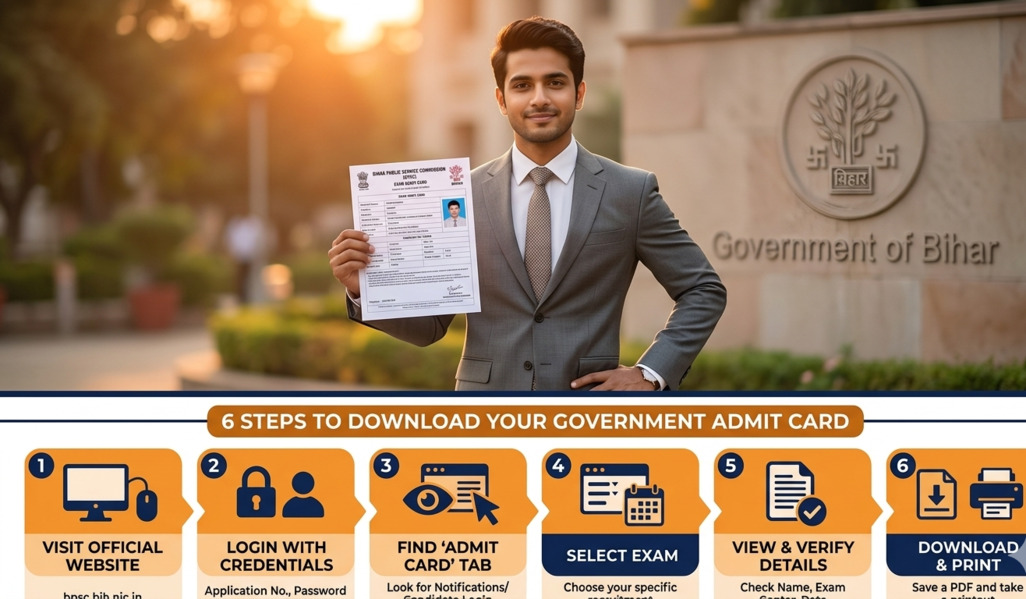
If you applied for the Bihar Public Service Commission’s Agriculture/Education Extension Officer (AEDO) recruitment and you are wondering when and how to download your admit card — you are in the right place.
The BPSC AEDO Admit Card 2026 is arguably the single most important document you will carry on exam day. Without it, you will not be allowed inside the examination hall — full stop. With the exam just around the corner, this guide covers everything: the exact release date, a step-by-step download process, eligibility details, what to check on your hall ticket, documents to carry, and the most common mistakes candidates make.
Bookmark this page. We will update it the moment the official download link is activated.
Overview at a Glance
The Bihar Public Service Commission (BPSC) released the official notification for the AEDO (Assistant Education Development Officer / Agriculture Extension Development Officer) post under Advertisement No. 87/2025. Here is a quick summary of the key facts:
| Parameter | Details |
|---|---|
| Conducting Body | Bihar Public Service Commission (BPSC) |
| Post Name | Assistant Education Development Officer (AEDO) |
| Advertisement No. | 87/2025 |
| Total Vacancies | 935 |
| Application Last Date | December 12, 2025 |
| Admit Card Release | First week of April 2026 (expected April 3) |
| Exam Dates | April 14, 15, 17, 18, 20 & 21, 2026 |
| Official Website | bpsc.bihar.gov.in |
| Age Limit | 21–37 years (relaxation for reserved categories) |
| Selection Process | Written Exam → Document Verification → Interview |
Admit Card Release Date & Exam Schedule
The BPSC AEDO written examination was originally scheduled for January 2026 but was postponed. The revised exam dates have now been confirmed, and the admit card is expected to follow shortly.
📅 Admit Card Timeline
| Event | Date |
|---|---|
| Admit Card Release (Expected) | First Week of April 2026 (Around April 3) |
| Written Exam — Day 1 | April 14, 2026 |
| Written Exam — Day 2 | April 15, 2026 |
| Written Exam — Day 3 | April 17, 2026 |
| Written Exam — Day 4 | April 18, 2026 |
| Written Exam — Day 5 | April 20, 2026 |
| Written Exam — Day 6 | April 21, 2026 |
| Result (Tentative) | To be announced post-exam |
Eligibility Criteria
Before downloading the admit card, every candidate should confirm they meet the eligibility conditions published in the official notification. Here is a clear breakdown:
Educational Qualification
Candidates must hold a Bachelor’s degree in Agricultural Science (B.Sc. Agriculture) from a recognized university or institute. For specific sub-posts, additional qualifications in areas like Agricultural Engineering or Plant Protection may apply — always verify through the official notification PDF on bpsc.bihar.gov.in.
Minimum age for all categories is 21 years. Age is calculated as of a reference date stated in the official notification — confirm this date before applying or raising any grievance.\
Your admit card will only be available for download if your application was successfully submitted before December 12, 2025, and your photograph has been uploaded to the BPSC candidate dashboard. Missing photo uploads are the #1 reason candidates cannot download their hall ticket.
Step-by-Step: How to Download the Admit Card
The process is straightforward — but missing even one step can waste precious time. Follow these steps carefully:
Visit the Official BPSC WebsiteOpen your browser and go tobpsc.bihar.gov.in. Make sure you are on the official website and not a clone or third-party portal. Look for the “Online Application” or “Admit Card” section on the homepage.
Log In to Your Candidate DashboardClick on the login area and enter yourApplication Number / Registration Numberalong with yourPassword or Date of Birth. Keep these credentials ready in advance.
Upload Photograph (If Not Already Done)BPSC requires candidates to upload a recent passport-size photograph (JPG format, approximately 25KB) to their dashboard before the admit card download button activates. Do this immediately if you have not already.
Click on the BPSC AEDO Admit Card 2026 LinkOnce logged in, navigate to the “Admit Card” section or “Latest Announcements” area on the dashboard. Click on theBPSC AEDO Admit Card 2026link once it is activated.
Verify All Details & DownloadYour hall ticket will appear as a PDF. Before downloading, verify your name, roll number, photograph, exam centre address, and exam date. If everything is correct, click Download.
Print Multiple CopiesPrint at least two clear copies of the admit card on A4 paper. Keep one safe at home and carry the other to the exam centre. A blurry printout can cause unnecessary trouble at the entry gate.
Important Tips & Best Practices
- Keep credentials saved: Store your application number and password in a secure note. Many candidates panic at the login screen because they forgot their details.
- Use a stable internet connection: Download the admit card on a desktop or laptop rather than a slow mobile data connection. BPSC servers can be slow due to heavy traffic when the link first goes live.
- Print in black & white is fine, but must be legible: A low-quality printout with a faded photograph or blurry text can create issues at the entry gate.
- Arrive 60 minutes early: BPSC examination centers in Bihar often have long queues for biometric verification. Arriving early prevents last-minute stress.
- No electronic devices allowed: Leave your phone, smartwatch, and earbuds at home or in a designated area. These are strictly prohibited inside the exam hall.
- Do not alter the admit card: Never write on, highlight, or modify any part of the hall ticket. Present it exactly as downloaded.
Common Mistakes to Avoid
- Not uploading a photograph to the dashboard: This is the top reason candidates cannot download their admit card. Do it now if you haven’t already.
- Using the wrong login credentials: BPSC uses your application number (from your registration confirmation email) — not your mobile number or Aadhaar number.
- Downloading from unofficial websites: Several fake exam portals circulate fake admit card PDFs. Always download only from bpsc.bihar.gov.in or bpsconline.bihar.gov.in.
- Ignoring exam centre details: Candidates who don’t verify their assigned centre end up at the wrong location on exam day. This is more common than you’d think.
- Waiting until the last day to download: Servers crash due to high traffic on the first few days. Download early, print and keep it safe.
Exam Pattern & Syllabus Highlights
Understanding the structure of the exam helps you approach preparation more strategically. The BPSC AEDO written examination covers three main papers:
| Paper | Subject | Key Topics |
|---|---|---|
| Paper I | General Language | Hindi & English proficiency, grammar, comprehension |
| Paper II | General Knowledge | History, Geography, Polity, Economy, General Science, Current Affairs |
| Paper III | General Aptitude + Core Subject | Reasoning, Maths, Analytical skills, Agriculture / Rural Development / Cooperative Management |
The selection process follows a standard BPSC pattern: Written Examination → Document Verification → Interview. Final merit is based on combined performance across all stages.
Conclusion
The BPSC AEDO Admit Card 2026 is your entry pass to one of Bihar’s most competitive government recruitment exams. With 935 vacancies on the table and thousands of applicants vying for each post, every detail matters — and it starts with getting your hall ticket right.
Do not wait for the last minute. The moment the admit card link goes live on bpsc.bihar.gov.in, log in, verify your details, and take a printout. Check your exam centre location in advance, keep your documents organized, and arrive early.
Best of luck for your BPSC AEDO 2026 examination. Bihar’s agriculture and education sector needs talented, dedicated officers — this is your opportunity.